

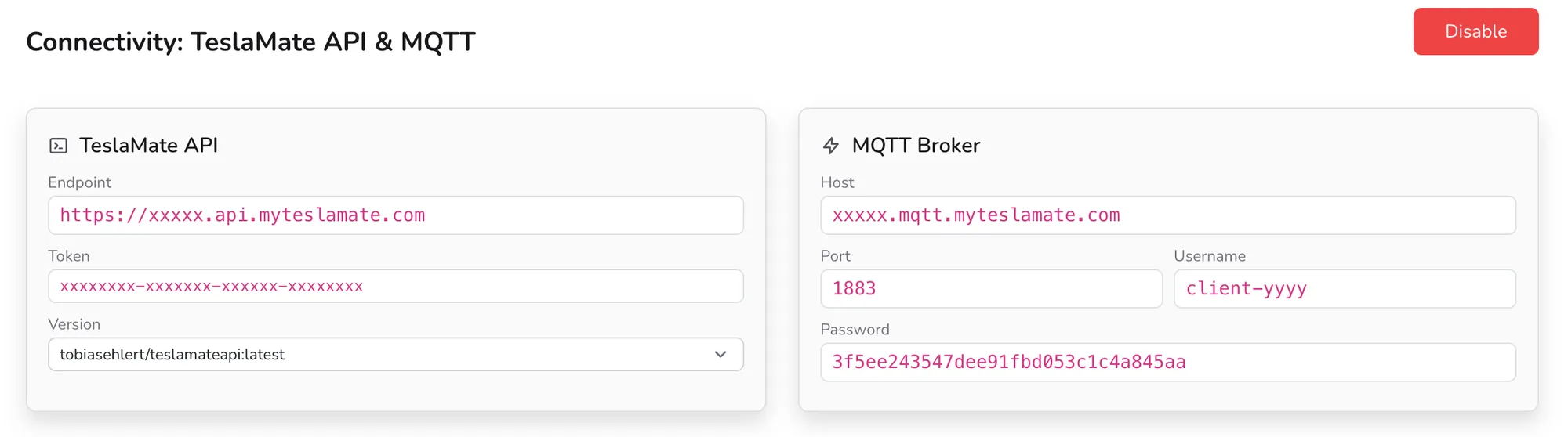
One of the most requested features is finally here: MyTeslaMate can now securely expose your instance’s connectivity services. Until now, MQTT and the TeslaMateAPI were only really practical on a self-hosted setup. With this release, every user can enable them directly from their cloud instance — no networking or reverse-proxy expertise required.
Enable Connectivity: Secure Access to MQTT and TeslaMateAPI
MyTeslaMate now lets all users enable connectivity directly from their instance, securely exposing two important services: MQTT and the TeslaMateAPI. Together, they expand what you can do with TeslaMate, unlock new integrations, and enable real-time data interactions.
Secure MQTT Access
MQTT is a lightweight publish/subscribe protocol — the backbone of most smart-home setups. You can now activate a fully secured MQTT broker on your instance to:
- receive real-time Tesla data as it changes,
- build custom automation workflows (for example in Home Assistant or Node-RED),
- connect MyTeslaMate to dashboards or external applications.
Secure TeslaMateAPI Access
The TeslaMateAPI exposes your historical data over a clean REST interface. Exposing it securely makes it possible to:
- integrate with third-party tools and services,
- build advanced dashboards and analytics,
- access your TeslaMate data programmatically from your own scripts.
Activation link: https://app.myteslamate.com/service
Choose the TeslaMateAPI Image That Matches Your Platform
MyTeslaMate gives you full control over which Docker image powers the TeslaMateAPI, so you can pick the one that fits your environment:
- HedgieMate:
tobiasehlert/teslamateapi:latest - mytesla.cc:
mytesla/teslamateapi:latest
Configuration link: https://app.myteslamate.com/service
Simple and Secure Setup
Enabling connectivity only requires entering your TeslaMate API endpoint, an API access token, and your MQTT host, port, username, and password. All communication is encrypted, so your Tesla data stays protected end to end.
Go further with your instance
By activating connectivity, you unlock more powerful integrations, more automation possibilities, and more responsive data handling. It’s built for users who want to take full control of their data and push TeslaMate further.
Get started here: https://app.myteslamate.com/service